Spot missing rows before your business does
Monitor every pipeline, catch issues early, and keep your data trustworthy.
Failed runs reach your team first
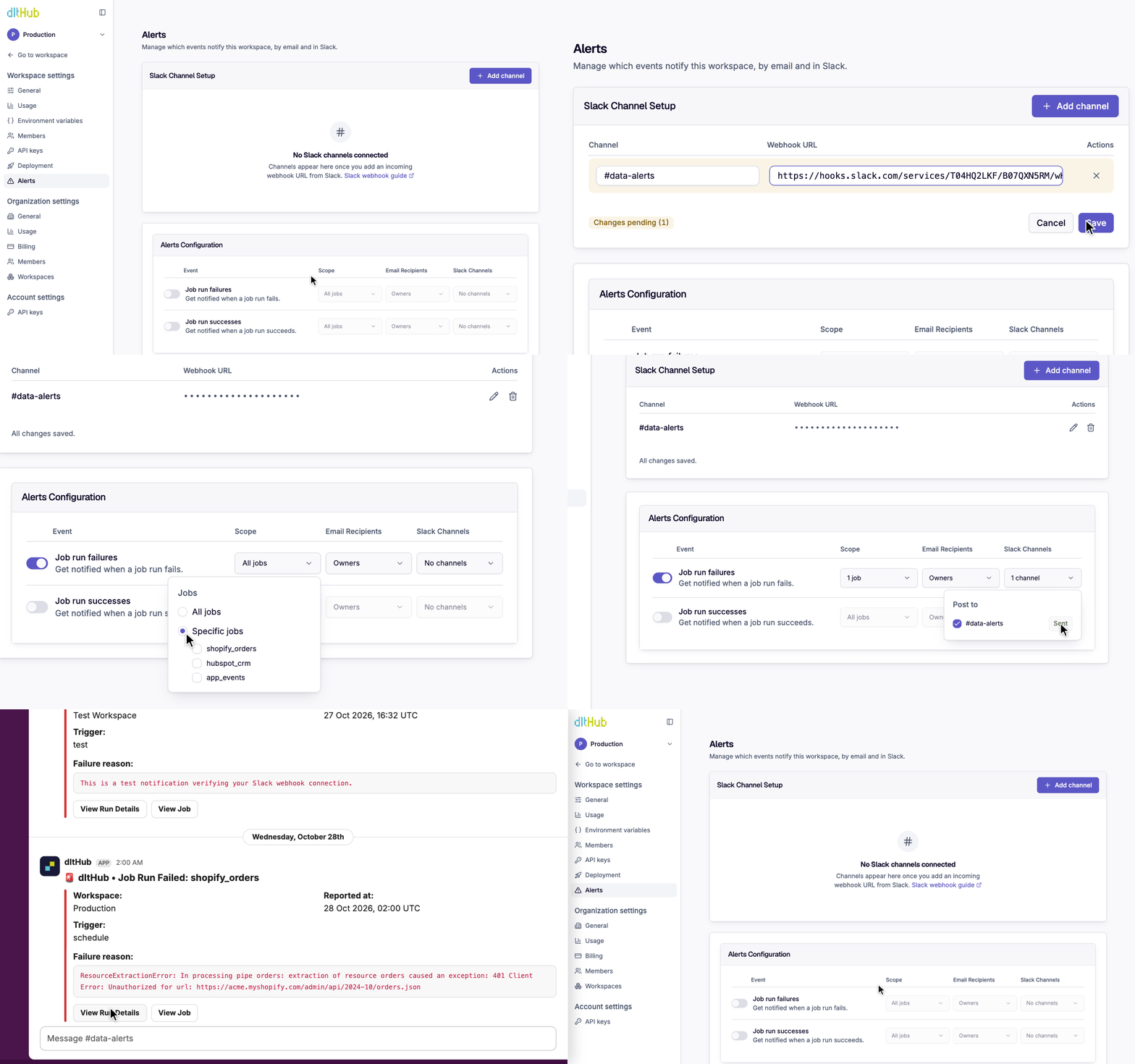
Alerts are sent to workspace owners or the entire team via email and the Slack channels you already monitor.
Alerts link straight to the logs
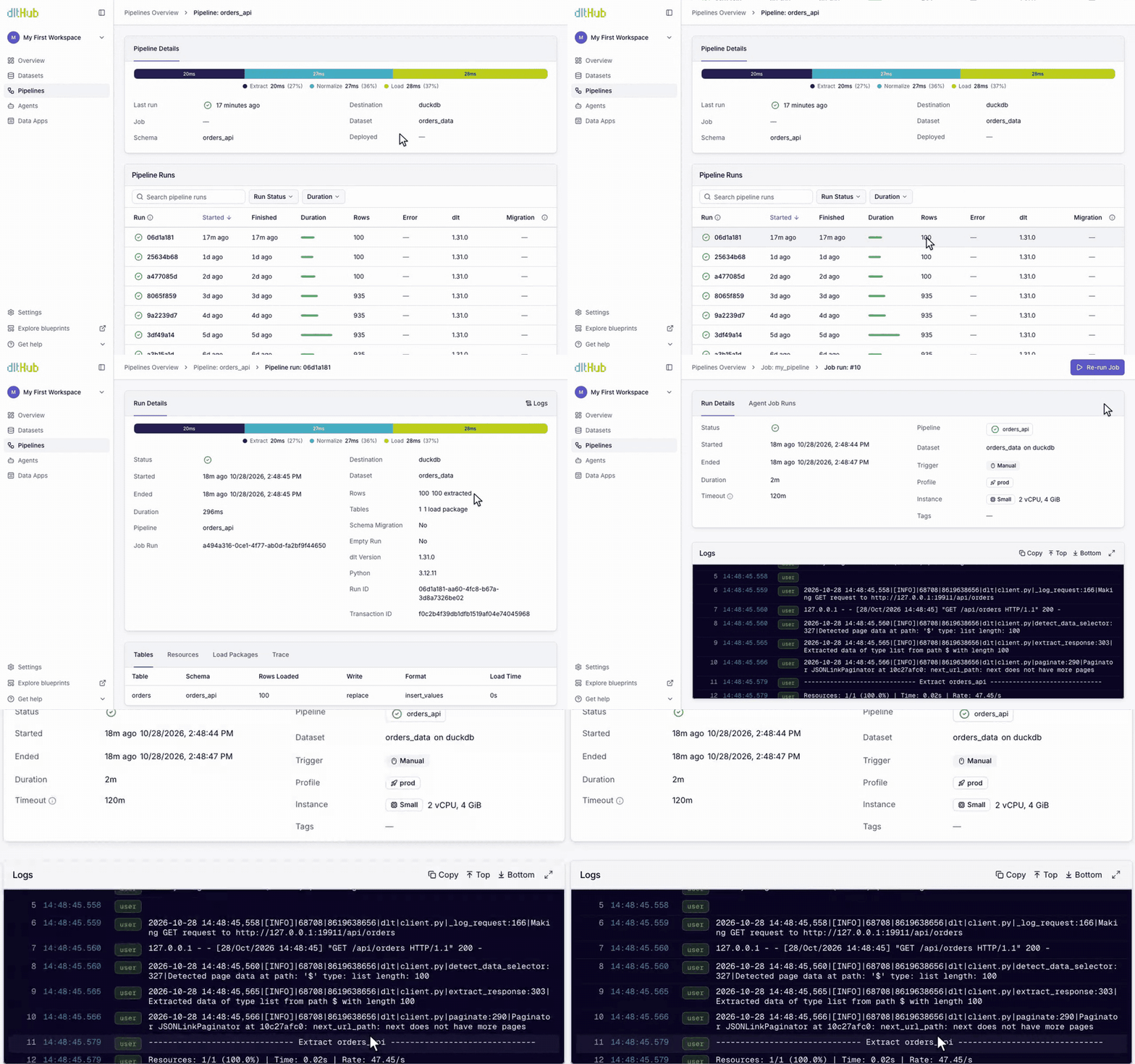
Each alert links to the run and its logs, so your team can investigate the cause before stakeholders notice.
Row counts show the data arrived
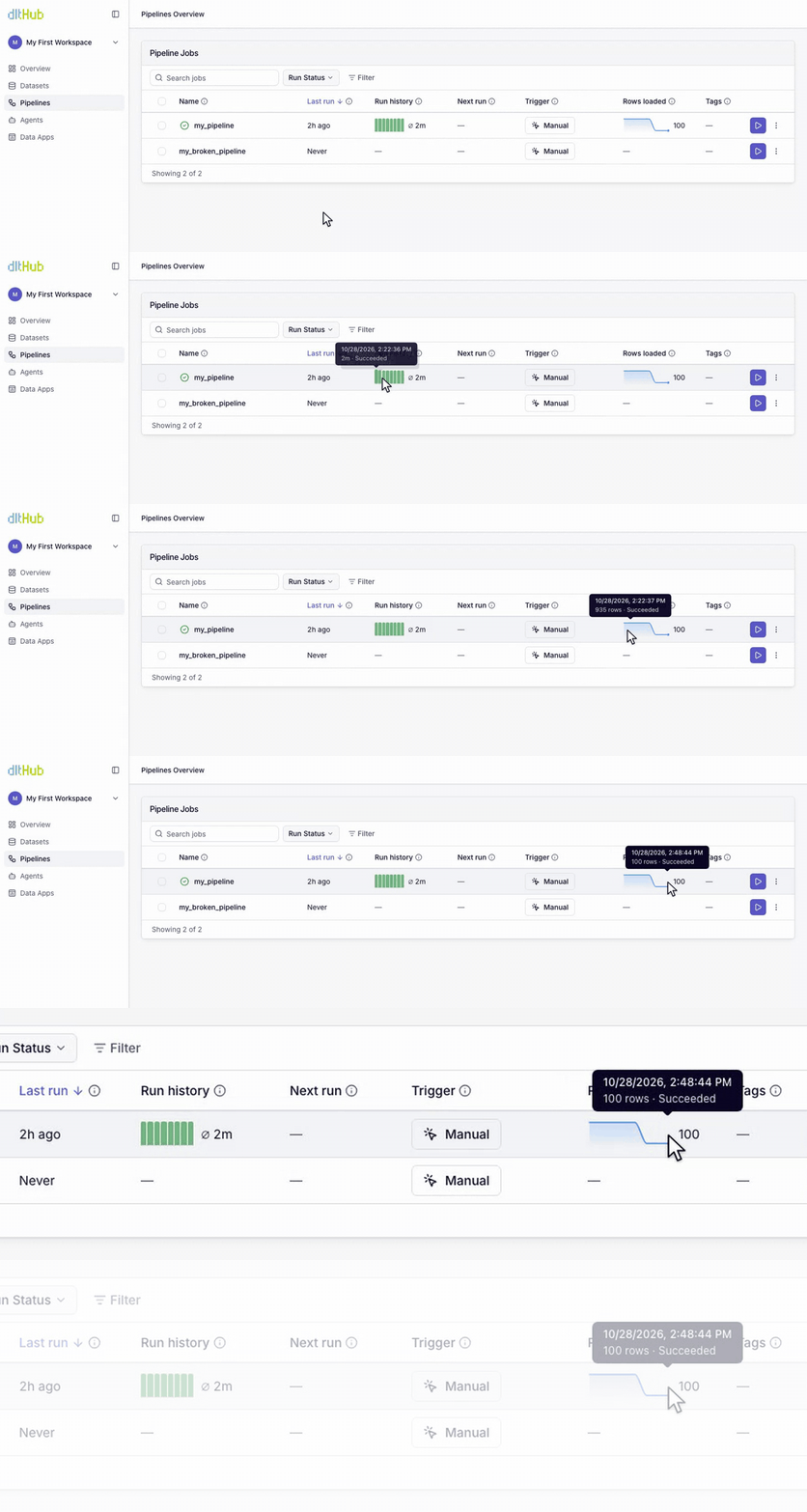
Rows loaded for each run show whether yesterday’s data is complete, even when every run succeeds.
A successful run doesn’t mean the data was received
A pipeline run can finish with no errors yet still load fewer rows than usual. The run status tells you the code finished. The row counts tell you the data arrived.
Rows loaded per pipeline
DocsRows loaded appear next to each pipeline’s run status, making short loads easy to spot at a glance.
Observability comes first when agents build more of your pipelines
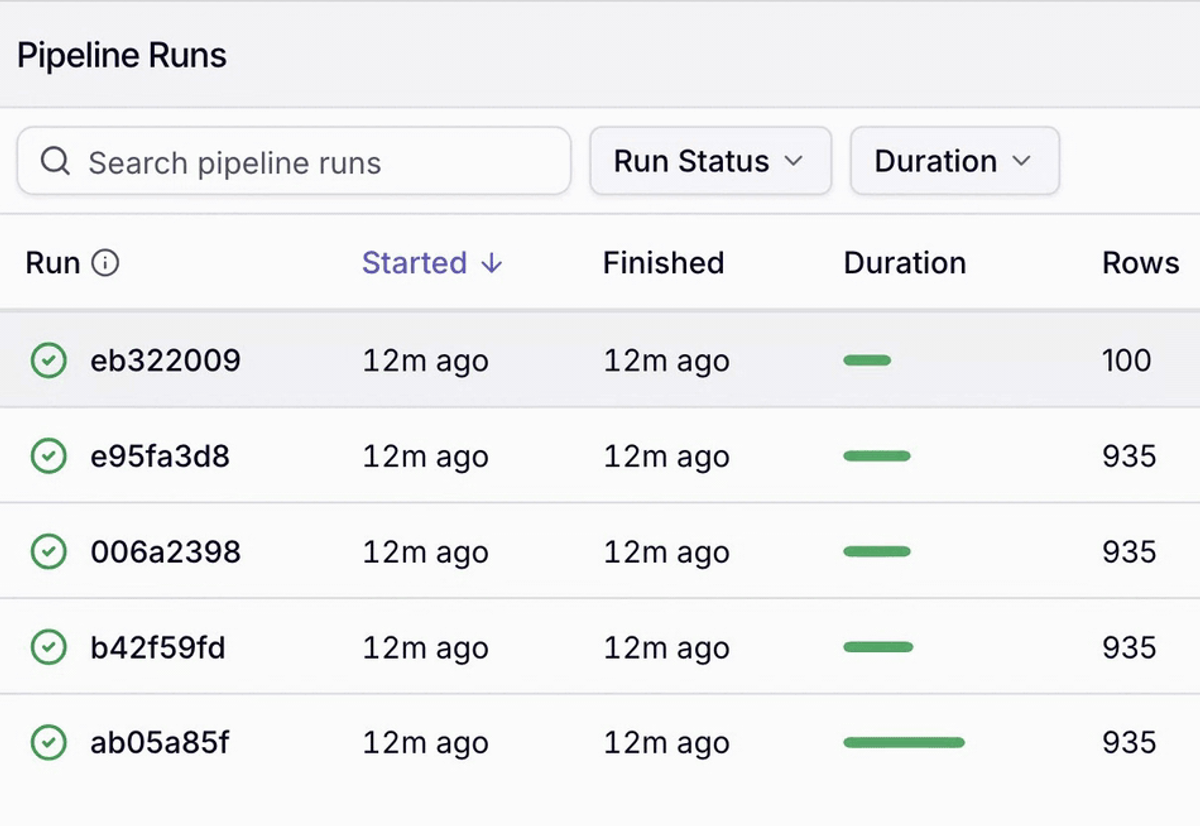
An agent’s change can pass review and still change what a pipeline loads. dltHub shows the row counts of every run. Your engineers use them to check results before giving agents more work.
Detect observable and silent failures
The run fails
dltHub sends your team an alert via email and Slack, with a link to the run.
- Expired credentials
- A crashed container
- A timeout or memory limit
The load is incomplete
dltHub shows the rows loaded for each run, by pipeline and table.
- A source that is not ready in time
- An incorrect pagination field
- An empty load
Find an incomplete load before it reaches a report
Monitor pipeline health, validate successful runs, and inspect detailed logs to understand pipeline behavior and diagnose potential issues. Docs
Pipeline run details and logs
Trace a successful run from status to logs, confirming expected data and completion.
Your team knows immediately when a run fails
Each email and Slack alert links directly to the run. dltHub also sends alerts for failures that your code cannot report, such as container crashes and timeouts.
Alerts in Slack and email
DocsAdd a channel in Settings › Alerts, send a test, and failures arrive with a link to the run.
Explore the rest of dltHub
Managed infrastructure
Scheduling, instance sizes, observability and the CLI, with nothing to keep warm between runs.
See the platformData quality
Expectations, schema contracts and PII redaction, running on the way into the warehouse.
See the checks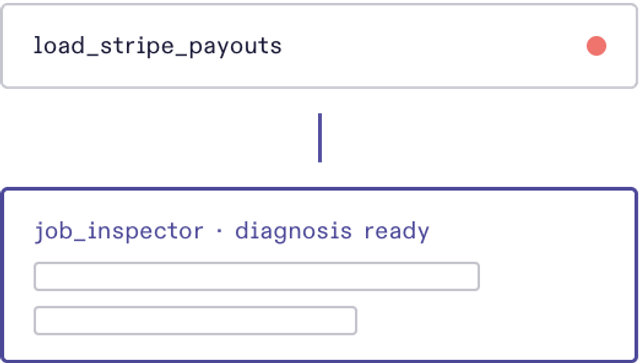
Background agents
Agents that debug your pipelines, within the guardrails you set.
See the agentsAI harness
The skills, commands and MCP servers your coding agent calls to build and fix pipelines.
See the harnessPricing
Pick a machine size per job and pay by the second, with the meter running only while the job does.
See pricing