dltHub + Cortex Code: Two agents, better together
TL;DR: Cortex Code helps you work with data already in Snowflake. dltHub gets data into Snowflake from any source, especially the ones no ETL tool covers. They operate at different layers of the stack and they are designed to hand off to each other.

Adrian Brudaru
Co-Founder & CDO
7 min read
TL;DR: Cortex Code helps you work with data already in Snowflake. dltHub gets data into Snowflake from any source, especially the ones no ETL tool covers. They operate at different layers of the stack and they are designed to hand off to each other.
Two layers of the same workflow
Every Snowflake project has two phases. First, you need data in. Then, you need to do something valuable with it.
Getting data in. Your standard ETL connector catalogs might cover Salesforce, Stripe, maybe 50 to 100 popular sources. But the sources that matter most to your business - the internal API, the legacy ERP, the partner feed nobody documented - are not in any connector catalog. These require custom pipelines, and that is where dltHub comes in.
Working with data once it is in Snowflake. Once data lands, the real work starts: writing queries, building dashboards, setting up self-serve analytics, creating AI agents. Cortex Code is purpose-built for this. It understands your Snowflake environment natively and makes that entire layer faster.
Neither tool tries to do the other's job. dltHub does not try to be a SQL assistant. Cortex Code does not try to be a data ingestion framework. That is what makes the combination work.
What each tool does
dltHub
dltHub is built on dlt, the open-source Python library for data pipelines. It handles the full lifecycle of getting data into Snowflake (or any other destination):
- Find the source: pick from 9,700+ known source contexts, or point it at an API you have never seen before
- Build the pipeline: REST API toolkit, schema inference, incremental loading
- Validate: browse the data, check the schema, test locally before anything touches production
- Deploy: one command. Code synced, environment set up, pipeline verified, state saved. Runs on Airflow, GitHub Actions, or plain CLI.
The output is standard Python. You own the code. It runs wherever you want.
AI coding tools like Claude Code and Cursor made writing pipeline code fast. dltHub solves what comes after: making sure that code actually works, handles credentials properly, and ships to production.
The difference between using a LLM with or without the AI workbench: without the workbench, the agent leaked credentials into the session log and commits many more “junior” mistakes. Read more in the eval blog post.
Cortex Code
Cortex Code is Snowflake's AI coding assistant, built into Snowsight and available as a CLI. What makes it different from pointing a general-purpose AI tool at Snowflake is the depth of context it has out of the box. Cortex Code sees your actual schemas, your RBAC policies, your query history, your credit consumption. It does not need you to explain your environment. It already knows what tables exist, who has access to what, which queries are expensive, and how your account is configured. That context is baked into every suggestion, every query it writes, every optimization it proposes.
The result is an AI assistant that is meaningfully better at Snowflake-specific work than any external tool. Benchmarks (ADE-Bench on dbt+Snowflake tasks) show 65% task success vs. 58% for Claude Code with Snowflake access, using 50% fewer API calls to get there.
"Just nine weeks ago, we launched Cortex Code. Today, 50% of our customers are using it." — Sridhar Ramaswamy, CEO, Snowflake
Cortex Code also ties the rest of Snowflake's AI stack together: creating Semantic Views for Cortex Analyst, setting up Cortex Search, and building agents that deploy to Snowflake Intelligence. It is the authoring layer for everything Snowflake ships on the AI side.
What each one is built for
dltHub: getting data in from anywhere
- Connects any source, not just the popular ones. The internal API your product team built. The ERP that predates your data team. The partner database with no documentation. dltHub turns these into production pipelines in hours, not weeks.
- Covers the full pipeline lifecycle. Source discovery, schema validation, credential management, deployment, incremental state tracking. Everything between "I found an API" and "data is landing in Snowflake on a schedule."
- Works with your existing AI tools. Use Claude Code, Cursor, or Codex to write the pipeline. dltHub is the layer that makes that code trustworthy and deployable.
- No lock-in. Standard Python files, Git-native, runs anywhere. Data can go to Snowflake, BigQuery, DuckDB, whatever your setup needs.
Cortex Code: making Snowflake data productive
- Knows your Snowflake environment automatically. Schemas, access controls, query history, cost data, all available without setup. For writing and optimizing SQL inside Snowflake, Cortex Code has context that no external tool can match. Benchmarks show 65% task success on Snowflake-specific tasks vs. 58% for Claude Code with Snowflake access.
- Full analytics workflows in one place. In a single session you can explore data, build a Streamlit dashboard (paste a screenshot of what you want it to look like), wire up a Cortex Agent, and deploy it, all within Snowflake.
- Self-serve analytics for business users. Cortex Analyst (a separate Snowflake product) lets non-technical users ask questions in plain English and get SQL-backed answers. It uses Semantic Views to understand your data model. Cortex Code is how you set those Semantic Views up.
- Everything stays inside Snowflake. For teams with strict data residency or governance requirements, keeping the AI workflow inside the platform boundary is a real advantage.
At a glance
dltHub Cortex Code What it does Builds and deploys pipelines into Snowflake from any source Helps you write code and build apps inside Snowflake Where it runs Your infra: Airflow, GitHub Actions, CLI Snowsight or Snowflake CLI Sources Any API, database, or file (9,700+ known contexts) Works with data already in Snowflake Destinations Snowflake, BigQuery, DuckDB, etc. Snowflake AI tools Works alongside Claude Code, Cursor, Codex Built-in (Claude Sonnet/Opus with Snowflake context) Code Python files, version-controlled with Git Snowflake Workspaces or local repo Dashboards Marimo notebooks Streamlit apps deployed to Snowflake Self-serve analytics n/a Cortex Analyst Agent building n/a Cortex Agent + Snowflake Intelligence
How they hand off to each other
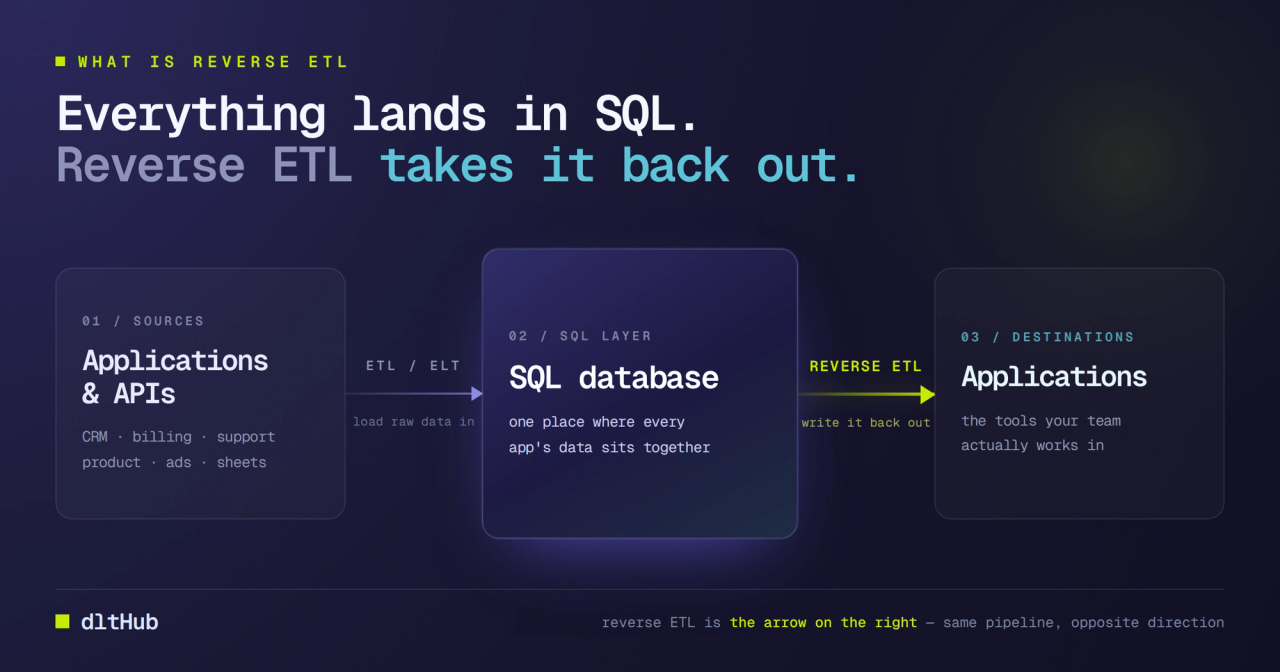
The workflow is a natural handoff at the Snowflake boundary.
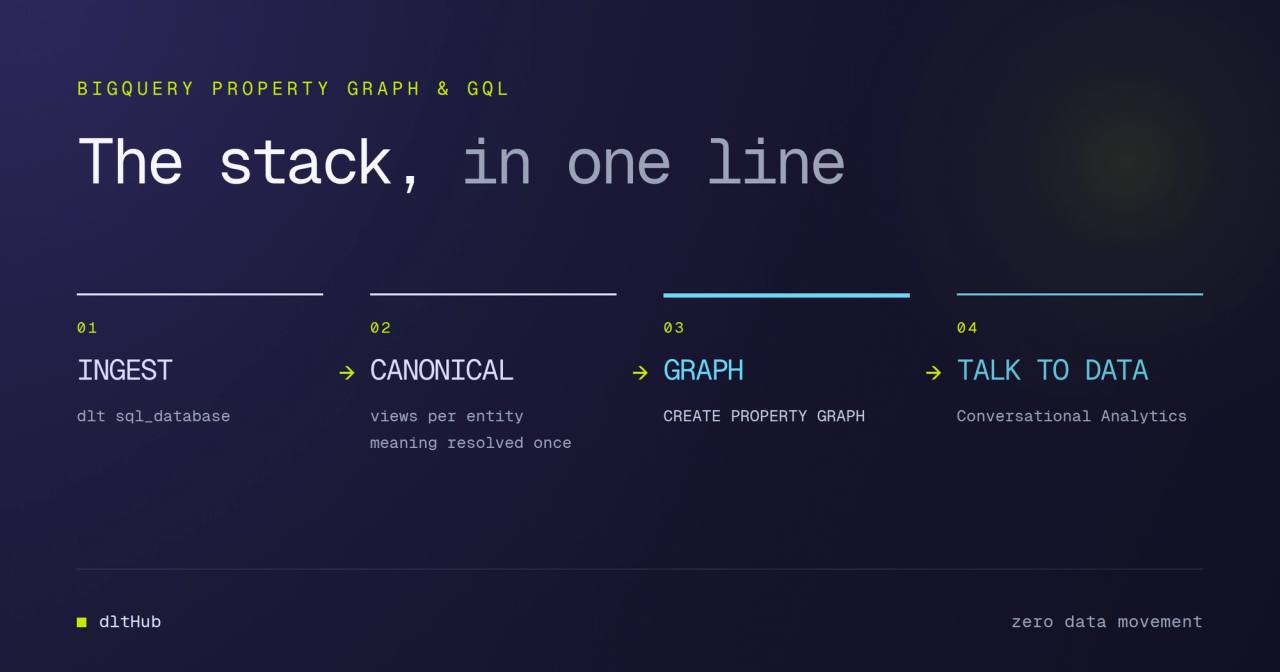
dltHub gets the data in. You find a source no connector covers. dltHub discovers the API, builds the pipeline, lets you validate locally, and deploys it. Data lands in Snowflake with the right schema, incremental loading, and production monitoring.
Cortex Code makes that data useful. The data is in Snowflake. You write optimized SQL against it with Cortex Code. You build a Streamlit dashboard. You set up Semantic Views so Cortex Analyst can answer business questions in plain language. You wire up an agent in Snowflake Intelligence.
The more data dltHub brings into Snowflake, the more valuable Cortex Code becomes. The more productive Cortex Code makes your team, the more data sources are worth connecting. They reinforce each other.
When to use what
Use dltHub when you need to connect a source your ETL tool does not support, you are building or deploying pipelines, your team uses AI coding tools and needs a way to get that code to production, or you want the flexibility to send data to more than one destination.
Use Cortex Code when you are writing or optimizing SQL inside Snowflake, you want an AI assistant that already knows your schemas, you are building Streamlit dashboards or Cortex Agents, or you are setting up self-serve analytics with Cortex Analyst.
Use both when you have data that is not in Snowflake yet and you want to query, visualize, or build on top of it once it arrives. dltHub handles the ingestion. Cortex Code and the Snowflake AI stack handle everything after.