Release highlights: 0.27
Released August 31, 2026, with dlthub-client 0.28.3. This release adds a billing page, reports usage in credits, brings workspace archiving to the web app, starts your trial at your first run rather than at signup, and lets you contact support from inside dltHub.
Breaking changes
- Upgrade the CLI to 0.28.3. The runtime rejects older CLIs, which still send two query parameters this release removed. Upgrade with
uv pip install -U "dlt[hub]", see Installation. Web users are unaffected, because the dashboard ships together with the API. - Direct API callers:
status_filteris gone, andarchivedis now a boolean. On the workspace runs list, use thestatusparameter instead. On the jobs list,archivedno longer accepts the stringsall,trueorfalse, and omitting it now lists archived and live jobs together rather than live only.
Usage is now measured in credits
One credit is one hour of run time on a small instance. Larger instance sizes consume at their multiplier: 2× for medium, 4× for large, 8× for xlarge. Tooltips in the app explain the definition wherever a credit figure appears.
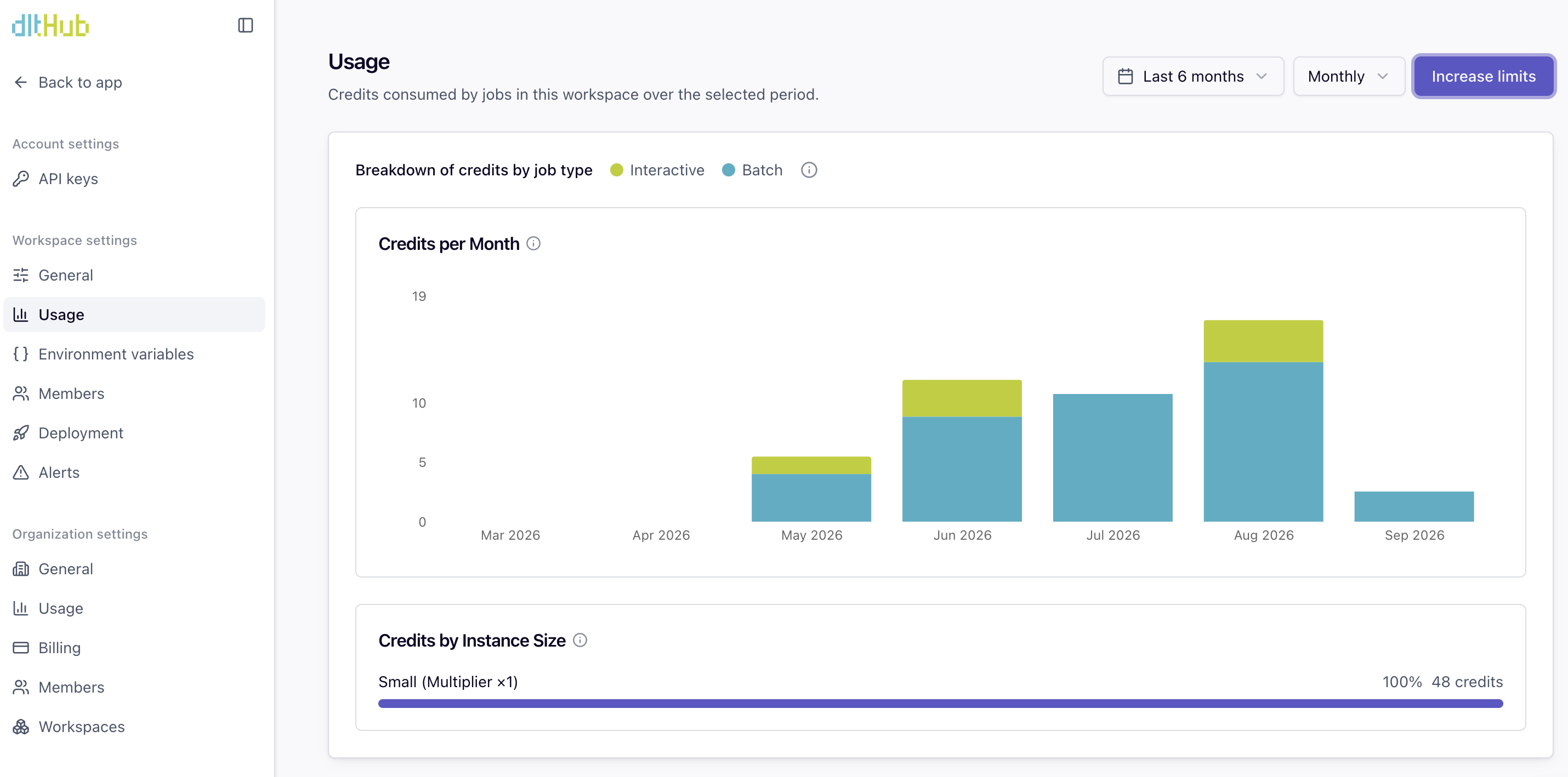
The workspace usage page has been redesigned to match the organization view: a stacked batch and interactive credits chart, a job-type legend, the time range and Monthly, Weekly and Daily toolbar, and a new Credits by Instance Size panel showing each size's multiplier and its share of the total. The organization Usage tab gains a Weekly breakdown alongside Monthly and Daily. Usage now lives only on the dedicated settings pages.
A billing page for organization owners
Organization owners get a Billing page in settings. Trial organizations see their plan, trial expiry and usage, with a link to book an upgrade call. Paid organizations see how they are billed: either a link through to the Stripe customer portal, or a note that they are invoiced.

Your trial starts at your first run
The 14 day trial and its $30 of credits now begin at your first job run rather than at signup, so the clock no longer runs before you have used anything. Any batch or stream run starts the trial, whatever its outcome. Interactive jobs such as dashboards and share links do not. An organization that has not run a job yet sees a banner with a Get started link.
Workspace archiving in the web app
Workspaces can now be archived from a new Danger Zone in workspace settings.

A workspace or organization owner can archive a workspace that has no active runs. It becomes read-only, its schedules stop running, and its avatar carries a visual cue. You are deliberately not moved to another workspace.
The organization workspaces list gained an Active and All filter for showing archived workspaces. The filter is part of the URL, so a link to an archived workspace lands on a list where it's visible.
A clearer job list
The Trigger column now says what actually starts a job next. It previously showed a pipeline name instead of a trigger, showed nothing at all for manual-only jobs, and presented paused or already elapsed triggers as if they were still going to fire.

Search and filtering across every list
Search, multi-value filtering and sorting now run on the server for every workspace entity list: jobs, job runs, pipeline runs, and the pipeline and dataset overviews. Filters and sorts apply across the whole dataset rather than only the page in front of you.
The shared data grid also gained sortable and filterable columns, plus tooltips on values too long to fit.
Contact support from the app
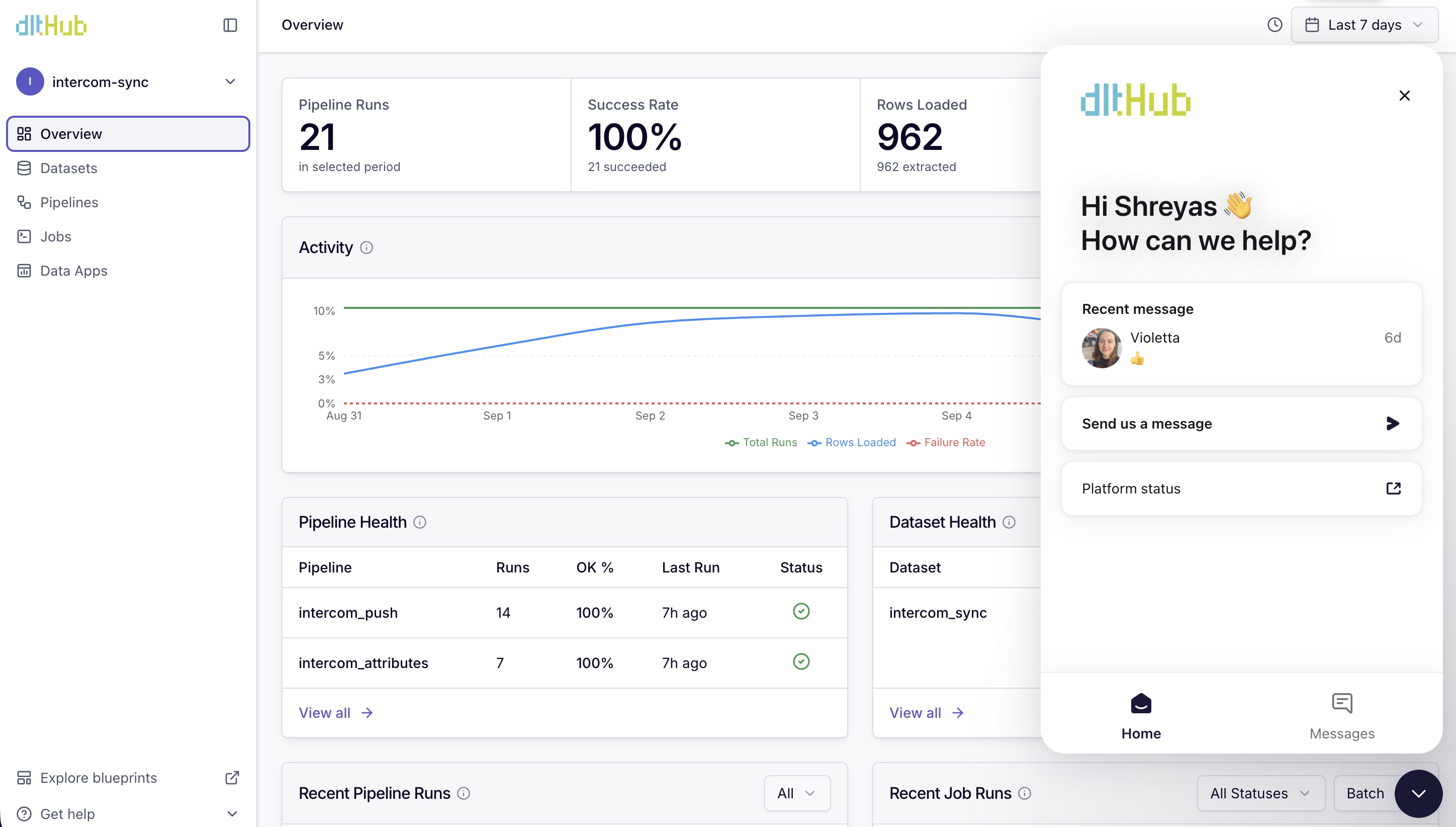
The Intercom messenger is now enabled for everyone, so you can reach support without leaving dltHub.
For API consumers
Auth failures now carry a stable, machine-readable error code alongside the human-readable message, so clients can branch on why a request was rejected instead of matching on prose. Codes survive a hop between services.