Release highlights: 1.19
New: Arrow streaming with ConnectorX
You can now return results from sql_database queries as an Arrow stream when using the ConnectorX backend.
This allows large query results to be processed incrementally, avoiding loading the full result set into memory.
Example:
from dlt.sources.sql_database import sql_database

db = sql_database(
    backend="connectorx",
    backend_kwargs={
        "return_type": "arrow_stream",  # new in 1.19
    },
)
By default, ConnectorX returns PyArrow tables. Arrow streaming must be explicitly enabled.
Visual pipeline run history in the dashboard
The dashboard now includes a visual history of pipeline runs, making it easier to inspect run status, duration, and changes over time.
This provides a clearer overview of pipeline health and helps diagnose failures faster.
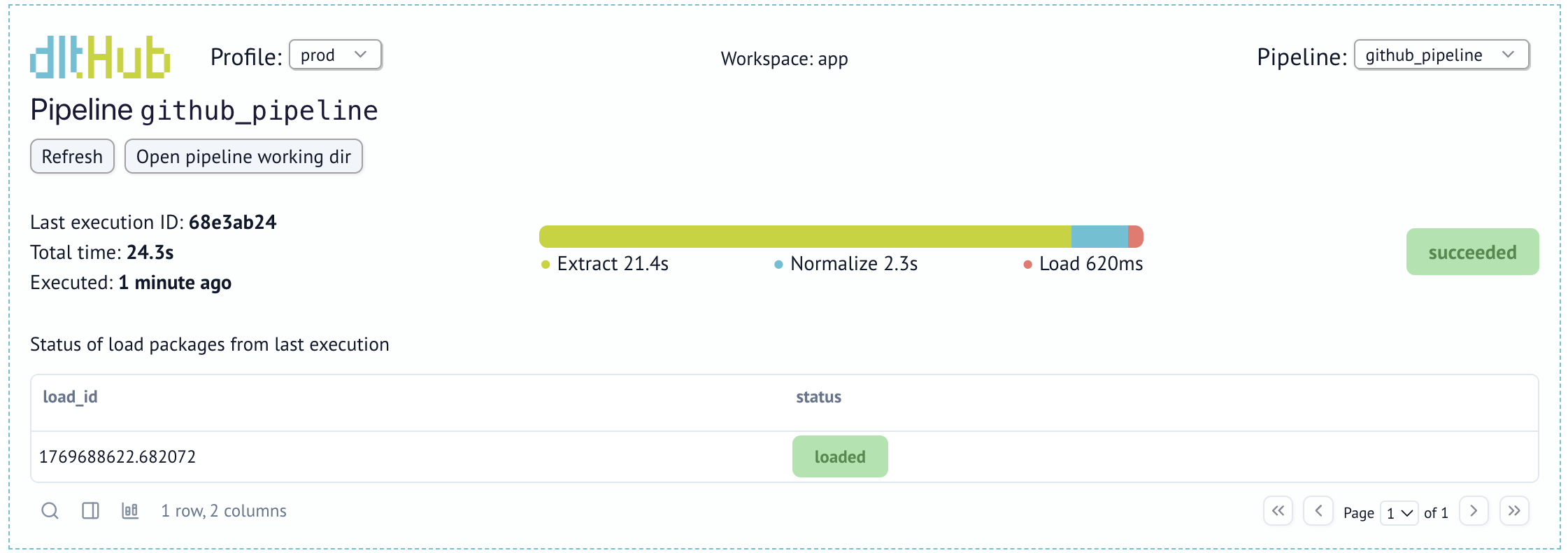
Faster Parquet ingestion into MSSQL, MySQL, and SQLite via ADBC
dlt can now ingest Parquet files into SQL databases (MSSQL, MySQL, and SQLite) using ADBC.
When an ADBC driver is available, Parquet loading is enabled automatically and becomes the preferred method. This delivers a 10×–100× speedup compared to INSERT-based loading and is more reliable than CSV fallbacks.
If needed, you can explicitly revert to INSERT loading:
pipeline.run(
    data_iter,
    loader_file_format="insert_values",
)
Visualize schemas with Schema.to_mermaid()
You can now export any dlt schema as a Mermaid diagram for quick visualization in documentation, pull requests, or onboarding materials.
schema_mermaid = pipeline.default_schema.to_mermaid()
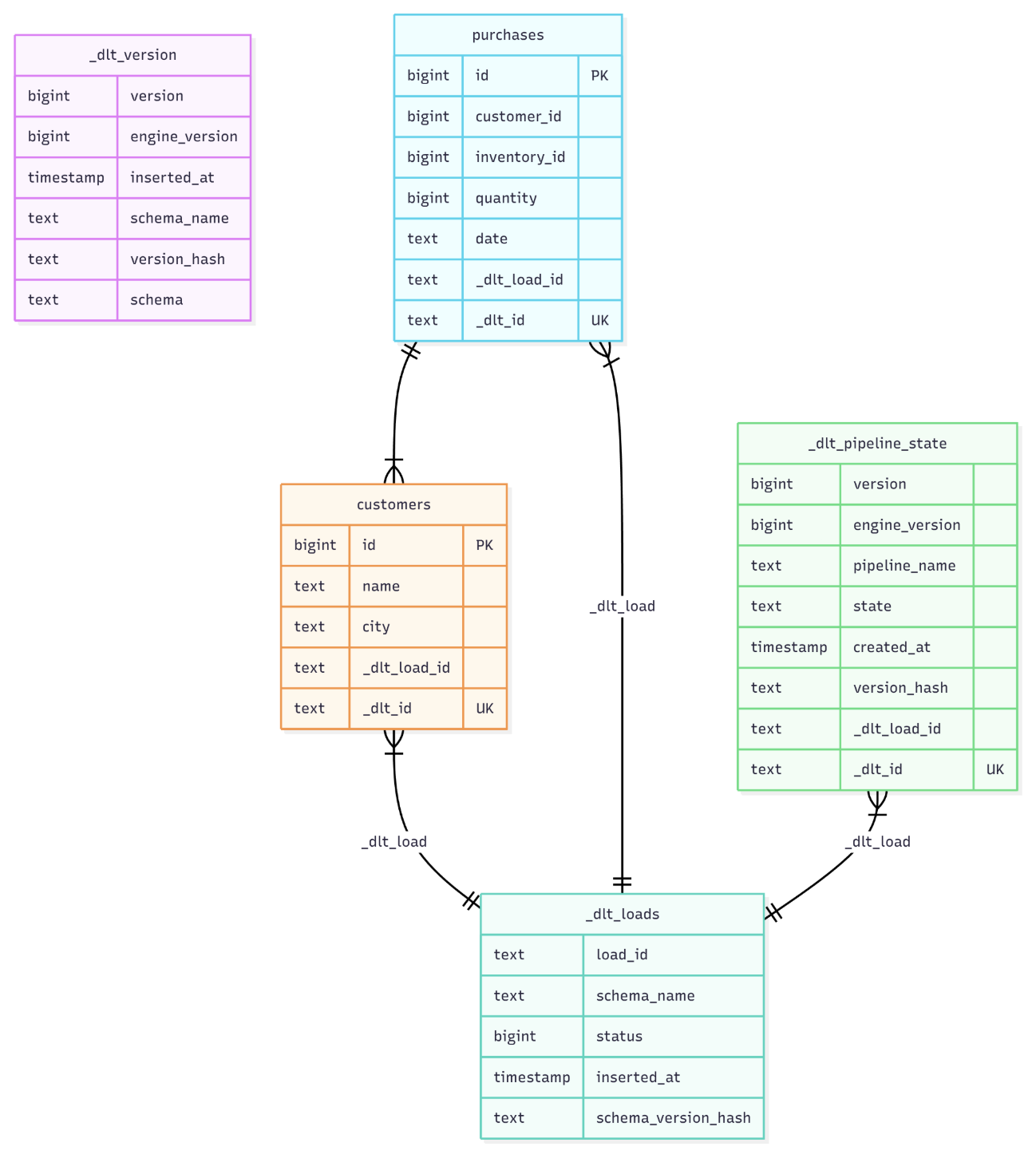
Schemas can also be exported from the CLI and rendered natively in tools like GitHub Markdown and Notion.
Snowflake clustering key improvements
Snowflake destinations now support updating clustering keys using column hints.
Clustering changes are applied when a table alteration is triggered (for example, when a new column is added), making it easier to tune clustering for large tables without recreating them.
Example:
@dlt.resource(table_name="events")
def events():
    yield {"event_id": 1, "country": "DE"}

events.apply_hints(columns=[{"name": "event_id", "cluster": True}])
pipeline.run(events())
Shout-out to new contributors
Big thanks to our newest contributors:
- @zjacom — #3294
- @JayJai04 — #3300
- @anair123 — #3304
- @martinibach — #3309
- @hello-world-bfree — #3318
- @tahamuzammil100 — #3314
- @timH6502 — #3307
- @wrussell1999 — #3331
- @luqmansen — #3332
Full release notes