
Operational Health: Schema update detection with dlt
 Aman Gupta,
Data Engineer
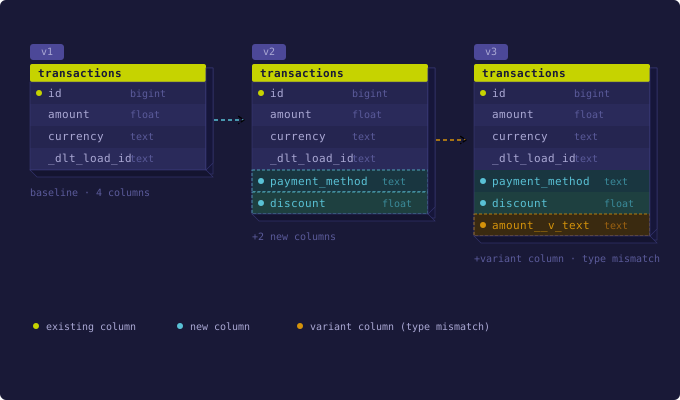
Every pipeline eventually runs into a schema change. By default, dlt handles these scenarios well - new columns are added automatically, type conflicts are preserved as variant columns. But it handles them silently. No errors or alerts. This post shows how to read schema_update to catch changes as they happen, and how _dlt_loads and _dlt_version serve as your schema audit trail.
The setup: a transactions pipeline with schema monitoring
We use a transactions resource wired to a DuckDB pipeline, where check_schema handles detection and alerting.
import dlt
@dlt.resource(table_name="transactions", write_disposition="append")
def transactions(data):
yield data
def check_schema(info, table_name="transactions"):
# Extract new columns, ignoring internal dlt metadata
new_cols = [
col
for pkg in info.load_packages
for col in pkg.schema_update.get(table_name, {}).get("columns", {})
if not col.startswith("_dlt")
]
if new_cols:
print(f"🚨 ALERT! Schema changed for '{table_name}'. New columns: {new_cols}")
else:
print(f"✅ {table_name}: schema unchanged")
pipeline = dlt.pipeline(pipeline_name="operational_health", destination="duckdb")Step 1: Run the pipeline and check what schema dlt infers
Run the pipeline once. dlt infers the schema from the data and stores it as the reference for subsequent runs.
# 1. Baseline Load
info = pipeline.run(
transactions([
{"id": 1, "amount": 100.0, "currency": "USD"},
{"id": 2, "amount": 200.00, "currency": "EUR"},
])
)
check_schema(info)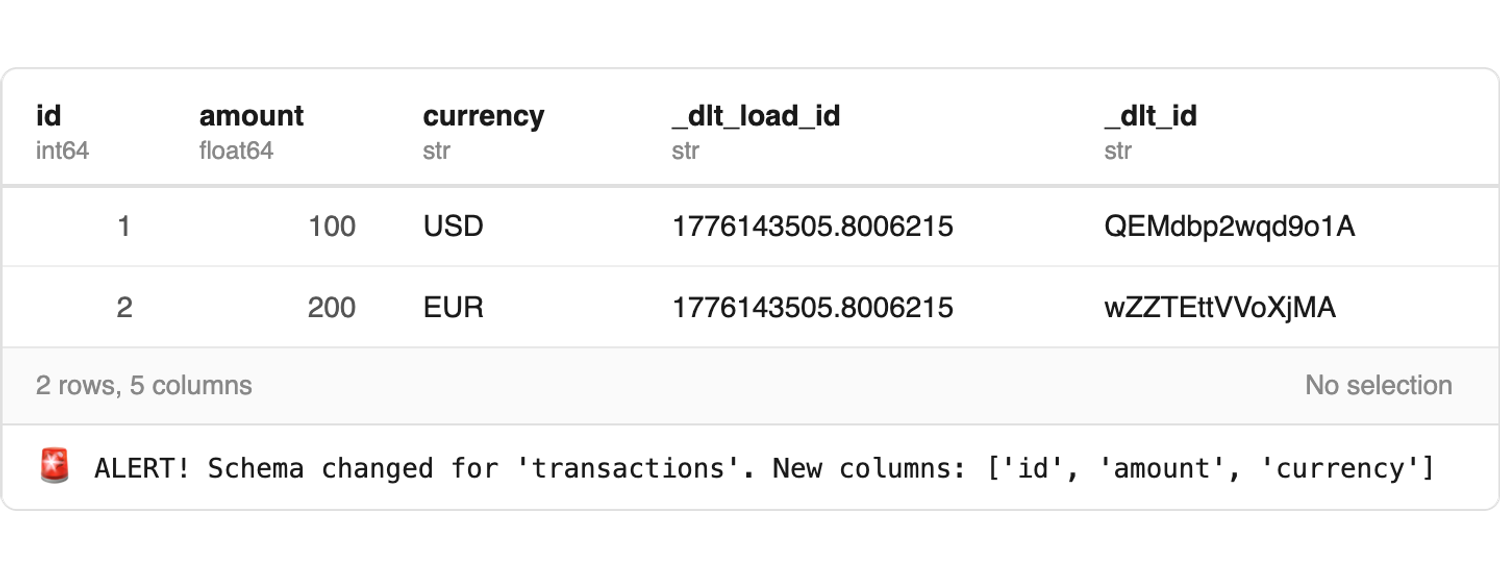
Step 2: Add new fields and check what 'schema_update' reports
The next run includes one extra field: discount. In dlt's default evolve mode, new columns are added to the destination table and the pipeline keeps running. check_schema catches them through schema_update and alerts the table owners.
# 2. Schema Evolution (New 'discount' column)
update_info = pipeline.run(transactions([
{"id": 3, "amount": 50.0, "currency": "GBP", "discount": 5.0}
]))
check_schema(update_info)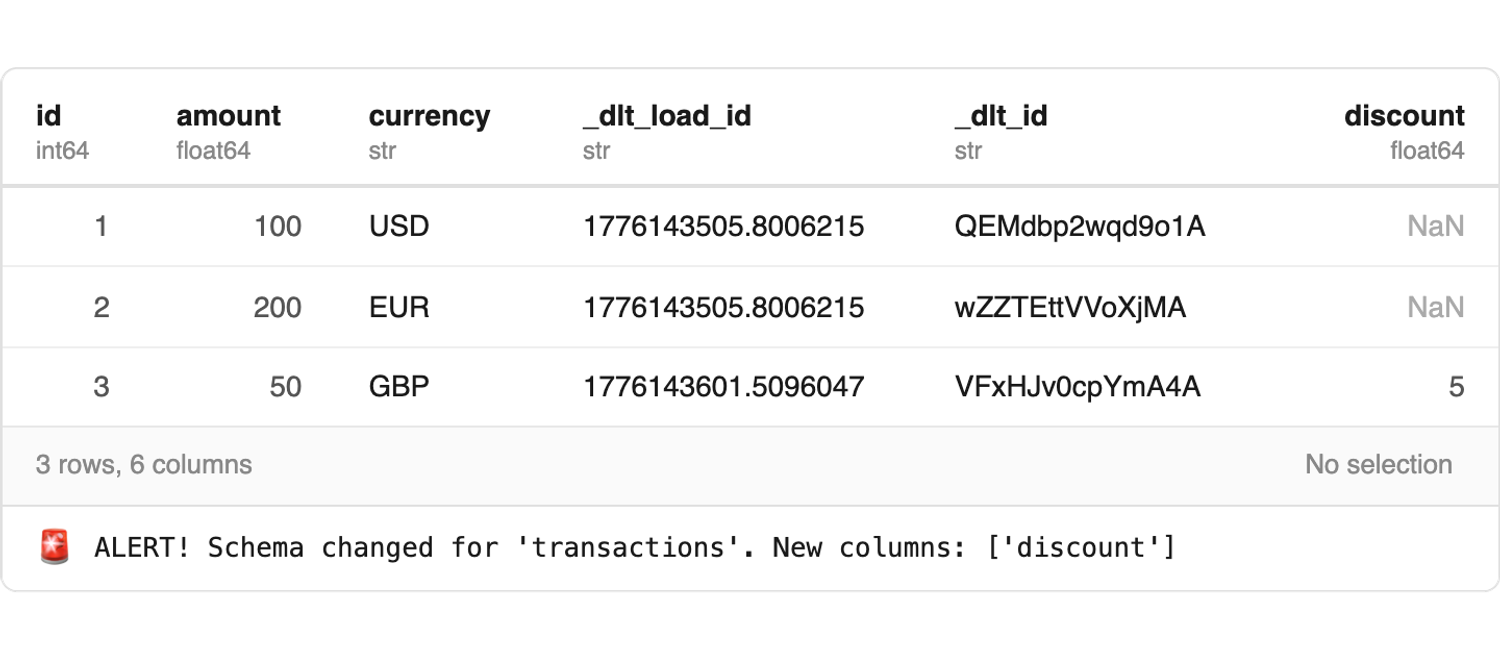
If you need stricter control, dlt supports freeze, discard_value, and discard_row schema contracts. Read more: schema contracts docs.
Step 3: Load a type mismatch and see it land in a variant column
amount arrives as the string "free" where it was previously numeric. dlt can't coerce it into the existing type, so it creates a variant column: amount__v_text (pattern: <column>__v_<type>). The original column stays intact. No rows are dropped.
# 3. Type Mismatch (Variant column created because 'amount' is a string)
clash_info = pipeline.run(
transactions([{"id": 4, "amount": "free", "currency": "GBP"}])
)
check_schema(clash_info)A variant column that keeps growing usually means the upstream type has changed permanently. The schema needs a deliberate update. See: variant columns.

Step 4: Inspect load lineage with '_dlt_loads'
_dlt_loads records a row for each pipeline run: load_id, schema_name, status, and inserted_at. Every data row in your tables carries a _dlt_load_id column, so you can join back to the exact run that wrote it.
pipeline.dataset().table("_dlt_loads").df()This is also how you distinguish "the pipeline ran but loaded nothing useful" from "the pipeline never ran". Both look like missing data downstream. _dlt_loads tells you which. More on auditing freshness.
Step 5: Track schema history with '_dlt_version'
_dlt_version stores the schema as JSON - one row per version, written each time dlt updates it.
pipeline.dataset().table("_dlt_version").df()The join chain is: _dlt_load_id → _dlt_loads.load_id →_dlt_loads.schema_version_hash → _dlt_version.version_hash. If amount__v_text appeared and you don't know why, this is how you trace it to the exact schema at the time of that load.
See: Destination tables & lineage · Schema evolution
The takeaway
Schema evolution and schema monitoring are two separate concerns. dlt handles the first automatically: new columns get added, type conflicts get resolved. The second requires you to instrument it.
Full interactive demo: Operational Health: Schema update detection
Try it yourself: pip install "dlt[duckdb]"
Further reading: the data quality lifecycle